


Blooket join is the process that students use to enter a live blooket game using a game code, QR code, or join link shared by their teacher. A teacher or an instructor create an educational game, and the students play it by joining. It takes only a few seconds to join a live game session, whether it is desktop, phone, mobile phone, or tablet.
This guide is for the users on how to join a blooket game, common errors and fixes, so you can continue enjoying your fun and interactive learning sessions.
Contents
- 1 How to Join a Blooket Game
- 2 Pros and Cons of Each Blooket Join Method
- 3 Which Blooket Join Method Is Best?
- 4 What Happens After You Join Blooket?
- 5 Can Students Join Blooket Without Login?
- 6 Teacher vs Student Blooket Join Methods
- 7 Why Blooket Join Is Not Working
- 8 Blooket Join on Mobile vs Desktop
- 9 Tips for a Smooth Blooket Join Experience
- 10 Final Thoughts
How to Join a Blooket Game
There are multiple ways to join blooket depending on what your teacher or instructor provides. Here are some methods that you can use for blooket join.
Method 1: Join Blooket Using a Game Code
This is the most common Blooket join method used in classrooms. It is also used in other learning platforms like ClassroomScreen, Kahoot, and Gimkit. Here is how it works.
- Go to blooket.com
- Enter the 7-digit Blooket game code
- Click Join
- Enter your nickname
- Choose a Blook and wait for the game to start
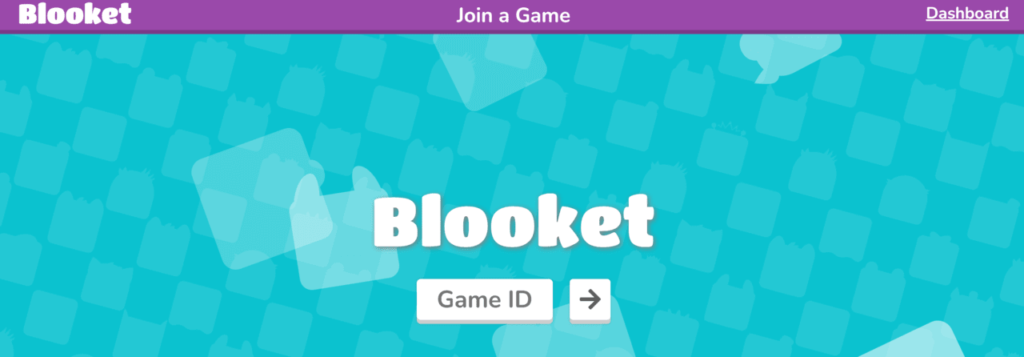

Teacher waits for all the students to join and starts the game after everyone has joined. It may depend on other factors for the start of the game.
You can also read about how students can join ClassroomScreen quizzes with joincrs using a code.
Method 2: Join Blooket Using a QR Code
A teacher or instructor can also provide a QR code for joining the session.
- Open your device’s camera
- Scan the QR code
- You will be redirected to the Blooket join page instantly
This method is ideal for mobile users. They just need to open the camera app, scan the code, and enter the learning environment.
Method 3: Join Blooket Using a Join Link
A direct join link is also possible. Teachers may also share a direct join link with the students.
- Click the join link
- Enter your nickname
- Wait for the game to begin
No manual code entry is required for this method to work.
Pros and Cons of Each Blooket Join Method
Blooket allows students to join games in multiple ways. However, each Blooket join method has its pros and cons.
1. Blooket Join Using Game Code
Pros:
- Most commonly used method
- Works on all devices (mobile, tablet, desktop)
- No login required for students
- Easy for teachers to share verbally or on a board
Cons:
- Code can expire quickly
- Manual entry may cause typing errors
- Students must switch tabs to enter the code
Best for: Traditional classrooms and quick verbal instructions.
2. Blooket Join Using QR Code
Pros:
- Fastest way to join
- No typing required
- Ideal for mobile devices
- Reduces join errors
Cons:
- Requires a camera-enabled device
- Not convenient for desktop users
- QR scanning may fail in low light
Best for: Mobile-first classrooms and younger students.
3. Blooket Join Using Join Link
Pros:
- One-click access
- No code entry needed
- Works well in online or remote classes
- Easy to share via chat or LMS
Cons:
- Link may expire
- Requires internet access at the time of clicking
- Can be blocked by school filters
Best for: Online classes, Google Classroom, and remote learning.
Which Blooket Join Method Is Best?
- Game code is the most reliable and universal option as it is being used on many other learning platforms as well.
- QR code is the fastest for mobile users. It is also convenient.
- Join link is best for virtual or remote classes.
Teachers usually use more than one method to ensure that all students have joined.
What Happens After You Join Blooket?
After completing the blooket joining process:
- Your nickname appears on the game screen
- If “Use Random Names” is enabled, Blooket assigns one automatically
- You can select a Blook while waiting
- The game starts when the teacher activates it
Can Students Join Blooket Without Login?
Yes. Students can join Blooket without logging in.
- Students do not need a Blooket account
- Only the teacher or host must log in
- Students simply visit blooket.com and enter the game code
Some teachers may require a login for homework or score tracking, but most live games allow guest access.
Teacher vs Student Blooket Join Methods
Teacher (Host) Join Method
Teachers must:
- Log in to their Blooket account
- Select a game mode
- Click Host
- Share the game code, QR code, or join link
Student Join Method
Students only need to:
- Go to blooket.com
- Enter the game code
- Choose a nickname
- Join the game
This difference helps avoid confusion during live sessions.
Why Blooket Join Is Not Working
If Blooket join is not working, one of the following issues is usually the cause:
- The game code has expired
- The teacher ended the game
- The code was entered incorrectly
- Internet connection problems
- Browser compatibility issues
Common Blooket Join Errors and Fixes
| Error | Meaning | Fix |
| Invalid Game Code | Incorrect or expired code | Ask teacher for a new code |
| Game Not Found | Game ended | Teacher must restart |
| Page Not Loading | Browser issue | Refresh or change browser |
| Connection Error | Network issue | Check Wi-Fi or mobile data |
Blooket Join on Mobile vs Desktop
Joining Blooket on Mobile
- Best for quick access
- Use Chrome or Safari
- QR code scanning works best
- Smaller screen may affect gameplay
Joining Blooket on Desktop
- Best for longer games
- Faster loading and smoother performance
- Recommended for Chromebooks, laptops, and PCs
Both mobile and desktop support the full Blooket join experience.
Tips for a Smooth Blooket Join Experience
- Double-check the game code before entering
- Join early before the game fills up
- Use a stable internet connection
- Keep your browser updated
Final Thoughts
The process for joining a blooket is simple and student-friendly. Whatever method you use, you can enter a live game in seconds without logging in. If you face issues, the above fixes will help you get back into the game quickly. If you like this guide, check our article about How to Host a Blooket Game?